Monetize
Step-by-step playbook to monetize every product and hit $10k/month.
1. The Book (Amazon) — Enroll in Kindle Unlimited (KU)
Earnings per page read; beginner books get devoured. ~$0.50–$2 per read.
Ready to execute- 1
Log in to your KDP Bookshelf at kdp.amazon.com.
- 2
Find your book title → click the "…" menu → "KDP Select" (or "Enroll in KDP Select" if not enrolled).
- 3
Check the box to enroll in KDP Select for 90-day auto-renewal. KDP Select is required for KU.
- 4
For KU specifically: once enrolled in KDP Select, your book is automatically included in Kindle Unlimited if priced $2.99–$9.99 royalty (70% tier). Verify under "Pricing" the KU box is enabled.
- 5
Confirm your book has strong Look Inside, a clean cover, and front matter ≤ 10% — KU is page-read driven, so keeping readers flipping pages matters.
- 6
Track KENP (Kindle Edition Normalized Pages) read under Reports → Kindle Unlimited / KDP Select.
2. Amazon Ads
Target keywords like "stock market for teens", "investing for beginners". Use $5/day auto + manual exact-match.
Ready to execute- 1
Go to advertising.amazon.com (or Seller Central → Advertising) and set up an Amazon Ads account using your Amazon retail email.
- 2
Link your KDP books: Ads Console → Books → "Claim your books".
- 3
Create a Sponsored Products auto-targeting campaign: $5/day bid, 30-day run, default bid $0.35. Auto campaigns surface new keyword data.
- 4
After 14 days of data, pull a Search Term Report (Reports → Advertising → Search Term). Download.
- 5
Build a manual exact-match campaign using the top 5–10 converting keywords (e.g., "stock market for teens", "investing for beginners", "finance book for kids"). Bid $0.40–$0.65 each.
- 6
Run the manual campaign continuously; pause losing keywords weekly, add the next 5 winning search terms monthly. Keep ACOS (ad cost / ad sales) under 35%.
3. Bulk Classroom Packs
Your cost: $2.30/book + $10.50 shipping per batch (~$2.65/unit at 15). Sell class sets at $8/each and net ~$160 profit per set of 30.
Ready to execute- 1
Your author copy cost is $2.30 per paperback (verified via Amazon cart: 15 × $2.30 = $34.50) plus $10.50 delivery — so a batch of 15 costs ~$2.65/book landed.
- 2
In KDP Bookshelf, click "Order Author Copies" on your paperback title and order in batches of 15–30 to keep the per-unit landed cost near $2.30–$2.65.
- 3
Set a flat per-copy classroom price of $8 and a class-set quote of 30 copies @ $240 (delivery included). Cost basis: 30 × $2.30 + ~$21 shipping ≈ $90 → profit ~$150 per class set.
- 4
Lighter option: a 15-pack teacher starter at $120 ($8 × 15) nets $75 profit (cost = 15 × $2.30 + $10.50 shipping = $45).
- 5
Add a "Bulk Orders for Teachers" block to the For Schools page listing the 15-pack ($120) and 30-pack ($240) with a contact form.
- 6
Send teachers a PO-friendly PDF invoice — accept check/PayPal/Square; many pay out of classroom budget.
- 7
Ship via KDP-direct to the school address; quote a 2-week lead time (matches Amazon's ~10-day ship window).
5. Stock Wise App — Annual, Family, School Licenses, and Lifetime
Free + Pro plus annual (pay 10, get 12), family (4 kids), school (per-seat/yr), and $99 lifetime.
Ready to execute- 1
In Lemon Squeezy, duplicate your existing Pro monthly variant to create: Annual $79 (10-month price), Family $14.99/mo (or $119/yr), and Lifetime $99 one-time.
- 2
Annual plan — price it at 10× the monthly fee; users save ~17%. Mark "annual" in product title.
- 3
Family plan — wire to your existing FamilyMember entity. Checkout requires 1 primary email; up to 4 member_emails can be added per the FamilyDashboard.
- 4
School license — create a Lemon Squeezy "School License ($X/seat/yr)" variant with a quantity selector for number of seats (e.g., $9 × 30 seats).
- 5
Lifetime deal — one-time $99 variant. Position it for launch only; true fans convert 3× higher than monthly.
- 6
Update the lemonSqueezyWebhookV2 handling if needed — map these new variants to existing subscription levels (pro, family, school) in your user entity.
6. Digital Kits — Licensing Tiers, Bundle, and "Updates Forever" Upsell
Single-teacher ($X), school-wide ($5X), district ($20X). Bundle at 20% off. Updates-forever upsell $20.
Ready to execute- 1
For the Facilitator Deck, Student Kit, and Teacher Kit, create three Lemon Squeezy variants each: Single-Teacher, School-Wide, and District license at $X / $5X / $20X.
- 2
Single-Teacher license: one classroom use; School-Wide: any teacher at one school; District: any school in the district.
- 3
Bundle the Facilitator Deck + Teacher Kit at a single Lemon Squeezy product priced 20% less than buying separately — set variant price accordingly.
- 4
Add an "Updates Forever" add-on: $20 Lemon Squeezy product (optional upsell selected at checkout). Grant buyers an email-tagged entitlement to receive re-downloads when the kit refreshes.
- 5
Maintain a buyers list (Lemon Squeezy customer email export → Google Sheet tagged by tier). Email updates using SendEmail to registered emails only (per platform rule).
- 6
Quarterly: refresh one module (e.g., new term added to book → new page in deck) and email the "Updates Forever" buyers a download link. Perennial revenue, zero new product.
7. B2B / Bulk — School Licenses, Teacher PD Webinar, and Credit Unions
One school license ($1,500–$5,000/yr) = ¼ of your $10k/mo target.
Ready to execute- 1
Define a "School & District License" package combining: app licenses (full Pro for every student), curriculum kit (Teacher Kit + Facilitator Deck), and 1 book per student up to 30.
- 2
Price by enrollment: under 200 students $1,500/yr; 200–500 students $2,500/yr; 500+ $5,000/yr. District multi-school = negotiate (e.g., $20k for 5 schools).
- 3
Build a free Teacher PD webinar (Google Meet / Zoom) — 45 min: "Teaching the 12 Core Financial Literacy Terms Teens Need." End with the curriculum kit offer + a 14-day invoice.
- 4
Put the schools-quote form on BundlePricing (or For Schools) capturing name, email, school, district, # students, target date.
- 5
Target credit unions with youth financial-literacy mandates — pitch a sponsorship package (class set of books + app licenses) at $1k–$10k with their logo on materials.
- 6
Move leads through the DemoRequests pipeline (New → Contacted → Demo Scheduled → Closed). Close one deal = ¼ monthly goal.
8. Affiliate Program — BookTok Creators & Finance Teachers
20% commission. Set a $50 creator payout minimum to limit admin overhead.
Ready to execute- 1
Onboard top BookTok creators and finance teachers via the existing AffiliateSignup page — approve status to "active" in AffiliateAdmin.
- 2
Each active affiliate shares their referral link (via Share & Earn / Affiliate Dashboard) with the 20% commission code.
- 3
Promote the program post-by-post on the Promo Hub — already routed through dailyPromoEngine and SocialMediaKit.
- 4
In AffiliateAdmin, set the "Minimum Payout $50" rule — do not mark referrals for payout until earned commission ≥ $50 (use processAffiliatePayout).
- 5
Monthly: run processAffiliatePayout for affiliates with pending_commission ≥ $50 to trigger PayPal payouts; log last_payout_date.
- 6
Track recruitment: paid_referrals / total_referrals in AffiliateAnalytics. Double down on creators who break 5 paid referrals.
9. Pricing Pages — Add Annual School/District Row + "Buy the Book" Button
SimplePricing & BundlePricing barely surface the book link today.
Ready to execute- 1
On SimplePricing, add a row/cards: Annual School License $1,500–$5,000/yr and District License (quote).
- 2
On BundlePricing, ensure the existing Annual plan / Family plan options are listed and that the schools-quote form is reachable from the page.
- 3
Add a visible "Buy the Book on Amazon" button near the top of SimplePricing and BundlePricing — links to your Amazon listing.
- 4
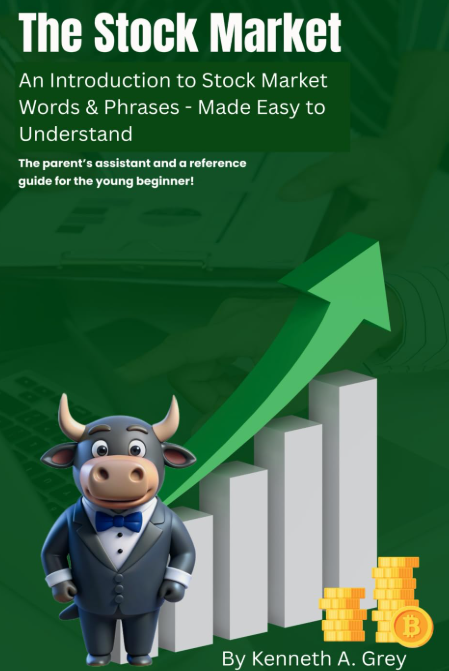
Surface the book cover thumbnail on both pricing pages next to the buy link for brand continuity.
- 5
Verify the AffiliateSignup link is in the BundlePricing footer so schools/teachers can refer each other for 20% commission.
- 6
Recommended next step: build a "Schools & Districts" quote form (name, school, district, # students, target date) on BundlePricing — B2B contracts let you hit $10k/mo without scaling traffic.
Highest-leverage next step
Add a "Schools & Districts" quote form to BundlePricing + list annual license prices. B2B contracts are how you hit $10k/month without scaling traffic.

